> For the complete documentation index, see [llms.txt](https://docs.vida.id/identity-stack/llms.txt). Markdown versions of documentation pages are available by appending `.md` to page URLs; this page is available as [Markdown](https://docs.vida.id/identity-stack/identity-operation-center/conversion-ops.md).
# Conversion Ops
In cases where the initial identity verification does not meet the approval criteria but falls within a designated threshold, our verification agents conduct a thorough manual review of the submitted KYC data. This additional layer of scrutiny ensures maximum accuracy and security in issuing digital signatures.
{% hint style="info" %}
Learn more about VIDA Identity Verification using Demographic and Biometric checks [here](https://docs.vida.id/vida-identity-platform/product-overview/face-match-and-demographic-verification).
{% endhint %}
During the manual review process, our agents will review the user's identity by cross-referencing the submitted information with authoritative sources.
If a verification process falls within a specific threshold, VIDA’s agent will perform a manual review (Yellow Line)
## Adding VIDA Conversion Ops to Your Onboarding Flow
Integrating VIDA’s **Conversion Ops** process adds a safety net to your identity verification — ensuring high security and accuracy *without* sacrificing user experience. When automated verification falls just short of the approval threshold, manual review kicks in behind the scenes.
✅ **What this means for your users:**
* Users receive an In Progress verification status, updated asynchronously
* With manual review, fewer drop-offs due to verification failures
* Certificate is issued with the valid, reviewed user data
### Step 1 - User submits their identity and selfie
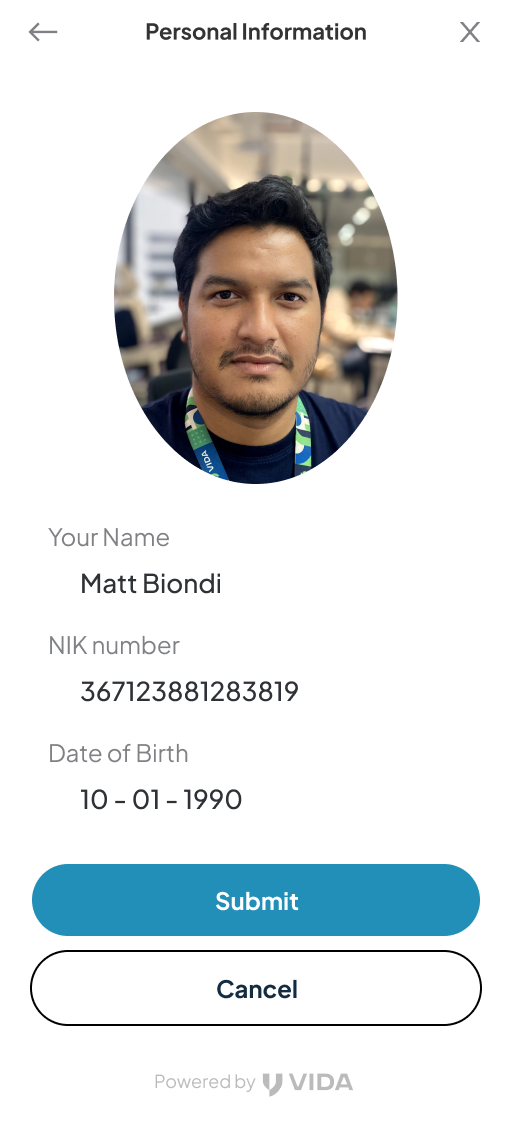
The onboarding process begins with the user submitting their demography data (Name, DoB, NIK) and completing a selfie-based liveness check. All of these are available using VIDA KYC API.
Optionally, you can also leverage VIDA KTP OCR API for a seamless experience of identity submission through uploading picture of the users' KTP.
### Step 2 - VIDA API verifies the user identity
Once the documents are submitted, VIDA KYC API performs automated checks which includes:
* Liveness detection
* Face and demographic matching with authoritative sources
**Approved:** If the verification score for both face and demographic check are successful, VIDA KYC API will return a SUCCESS status, indicating the identity is successfully verified.
**Manual Review:** If the verification score for either face and/or demographic check are within VIDA's slightly below acceptance threshold, VIDA KYC API will return an IN PROGRESS status. Please refer to the Step 3.
**Rejected:** If the verification score is below the acceptance & review threshold, VIDA KYC API will return a REJECT status, indicating the identity is not matched. In such case, your platform should prompt the user to recheck their identity and captured selfie, and do a retry.
### Step 3 - Review by VIDA agent
When a verification score is slightly below acceptance threshold, the KYC transaction enters the **manual review state**.
This is important to handle low-risk input mistakes that should have been accepted as real person, such as typos, abbreviations, honorific title, academic degree, etc.
In such case, VIDA’s trained verification agents compare the user identity with valid authoritative sources:
* Cross-check name, face, and date of birth against valid authoritative sources
### Step 4: Final result is returned
The review process length depends on the agreed SLA (eg: 1 hour / 6 hour / 24 hour)
After the manual review is complete, VIDA returns a final decision through webhook. Alternatively, you can also use KYC Status API:
* ✅ **Approved**: The user identity is verified. No delays or repeated submission required.
* ❌ **Rejected**: The user identity is rejected. In such case, your platform should prompt the user to recheck their identity and captured selfie, and do a retry.
Reviewed identity data is available through the webhook and GET API. Use the response to dynamically update the user interface accordingly.
.jpeg?alt=media&token=d55d6b00-e21c-401c-a8fe-36cb2e7bc28f)